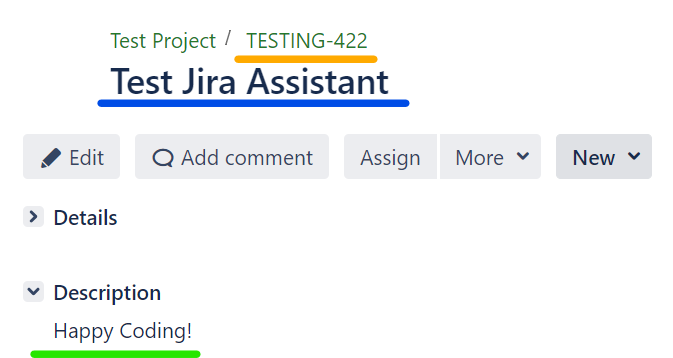
Gathering Jira Information#
This package contains a shell command called process-excel-file that can be used to retrieve Jira ticket properties.
Before proceeding, it is important to ensure that the Jira-related information has been configured correctly. You can use the update-jira-info command to configure it, as shown below.

For more information about this command, please refer to the update_jira_info link.
Step 1: Preparing the Definition File#
To connect the file with the Jira platform, we need to create a definition file that contains the RetrieveJiraInformation step. This file must have a column named storyId, and we recommend using the FilterOutStoryWithoutId step to ensure that all storyId columns have valid values.
Here is an example file and its text version:
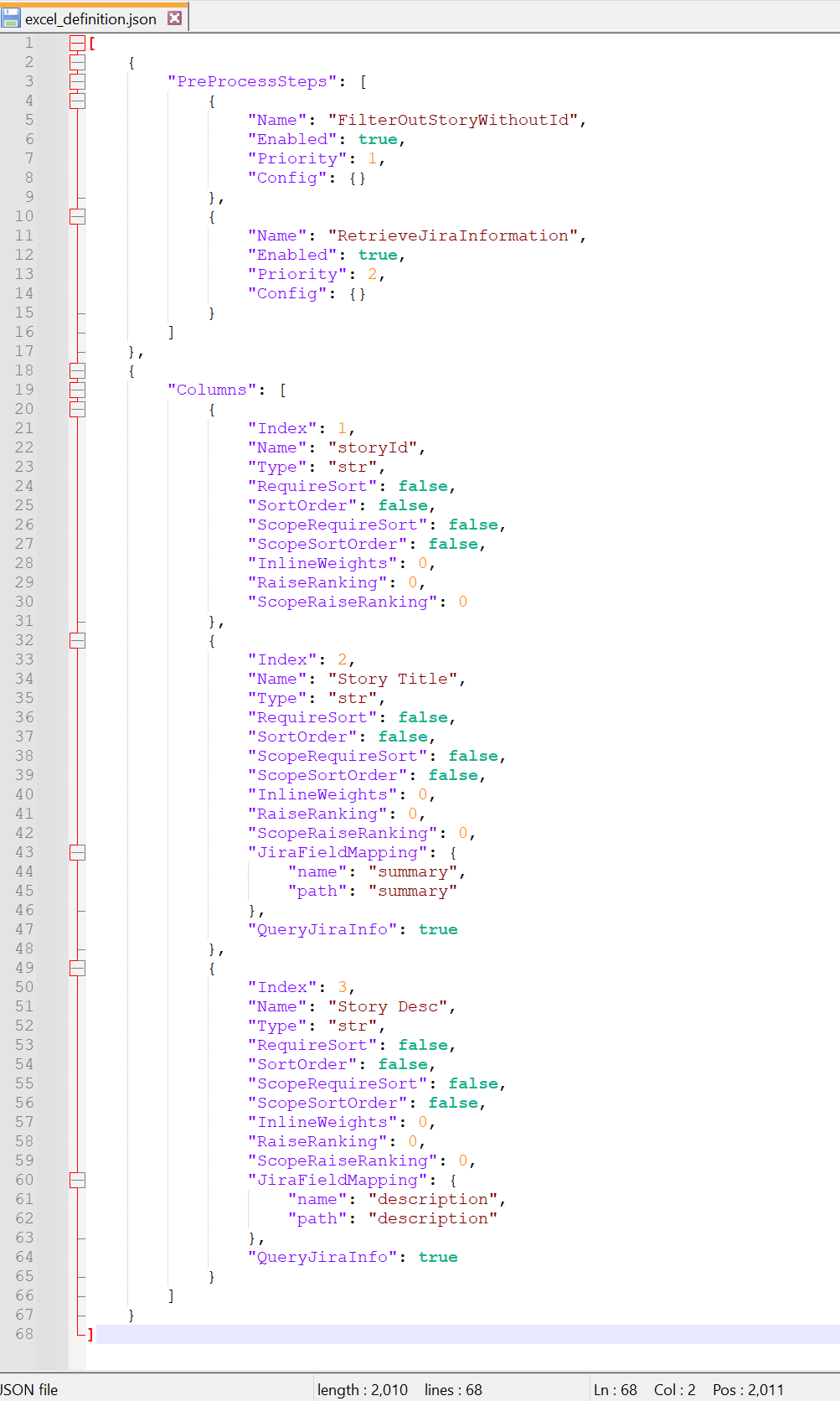
[
    {
        "PreProcessSteps": [
            {
                "Name": "FilterOutStoryWithoutId",
                "Enabled": true,
                "Priority": 1,
                "Config": {}
            },
            {
                "Name": "RetrieveJiraInformation",
                "Enabled": true,
                "Priority": 2,
                "Config": {}
            }
        ]
    },
    {
        "Columns": [
            {
                "Index": 1,
                "Name": "storyId",
                "Type": "str",
                "RequireSort": false,
                "SortOrder": false,
                "ScopeRequireSort": false,
                "ScopeSortOrder": false,
                "InlineWeights": 0,
                "RaiseRanking": 0,
                "ScopeRaiseRanking": 0
            },
            {
                "Index": 2,
                "Name": "title",
                "Type": "str",
                "RequireSort": false,
                "SortOrder": false,
                "ScopeRequireSort": false,
                "ScopeSortOrder": false,
                "InlineWeights": 0,
                "RaiseRanking": 0,
                "ScopeRaiseRanking": 0,
                "JiraFieldMapping": {
                    "name": "summary",
                    "path": "summary"
                }
            },
            {
                "Index": 3,
                "Name": "Story Desc",
                "Type": "str",
                "RequireSort": false,
                "SortOrder": false,
                "ScopeRequireSort": false,
                "ScopeSortOrder": false,
                "InlineWeights": 0,
                "RaiseRanking": 0,
                "ScopeRaiseRanking": 0,
                "JiraFieldMapping": {
                    "name": "description",
                    "path": "description"
                },
                "QueryJiraInfo": true
            }
        ]
    }
]
To learn more about this command, please refer to the template files.
Step 2: Preparing the Excel File#
Next, you need to create an Excel file based on the definition file. Here's an example of what the Excel file should look like:
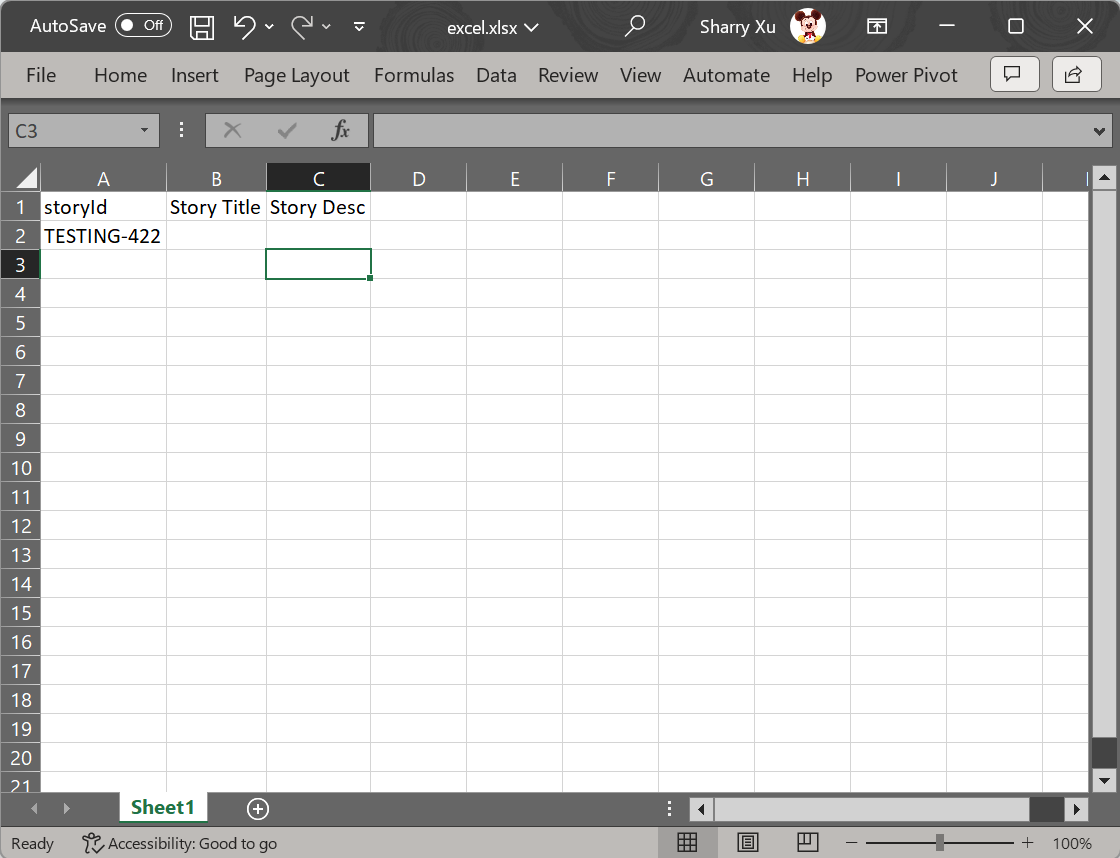
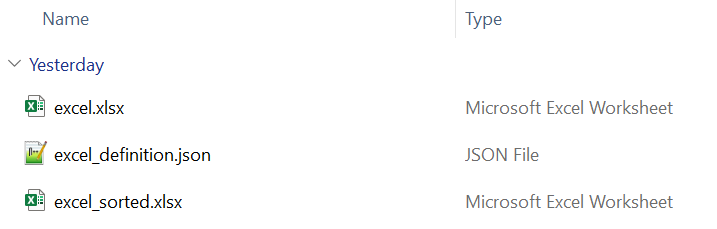
Here's a snapshot of the files you should have created so far:
Step 3: Running the Shell Command#
Run the process-excel-file command to get the final result. Here's a screenshot of what it should look like:

Step 4: Congratulations!#
You should now see that the excel_sorted.xlsx file has been successfully created!
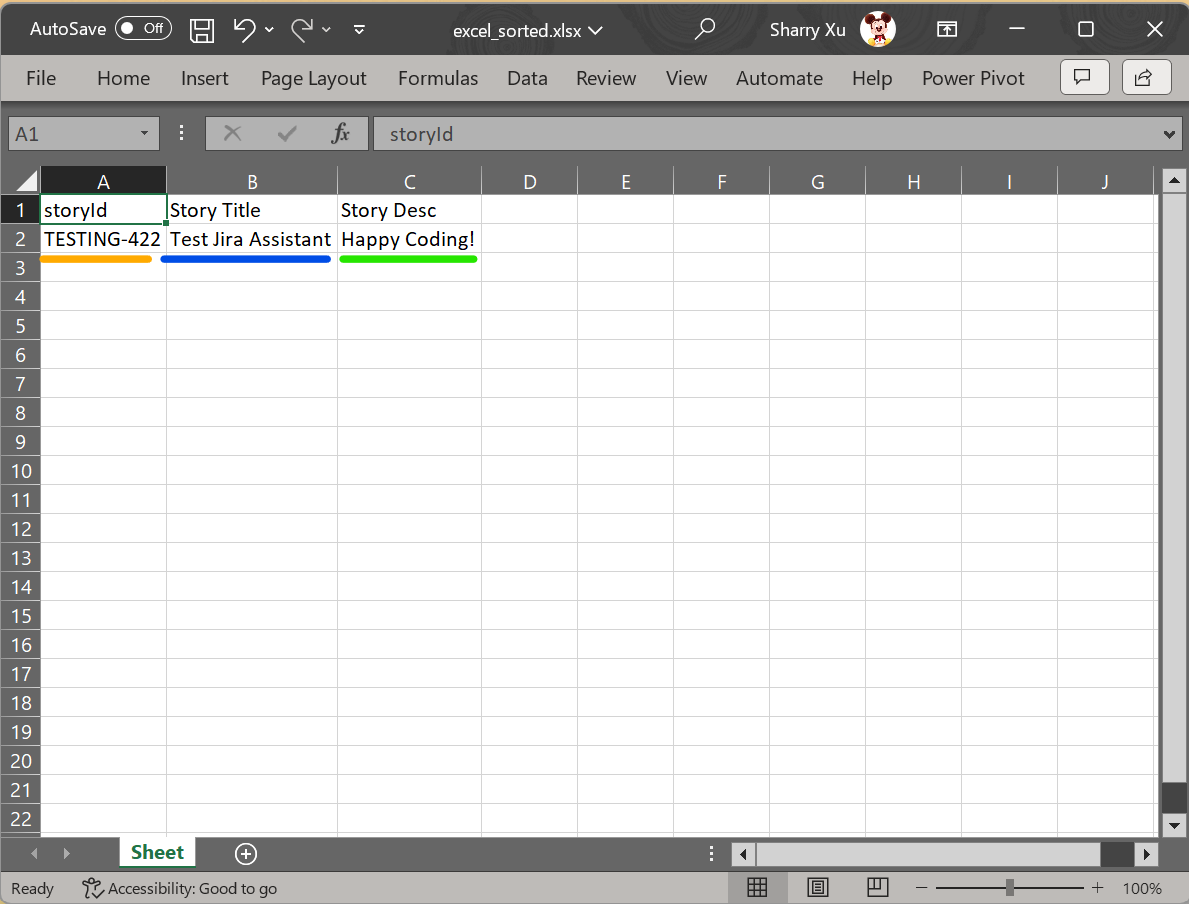
Compare the ticket displayed in the browser with the Story Title and Story Desc values in the Excel file to verify that they match.